
01
One glanceable status
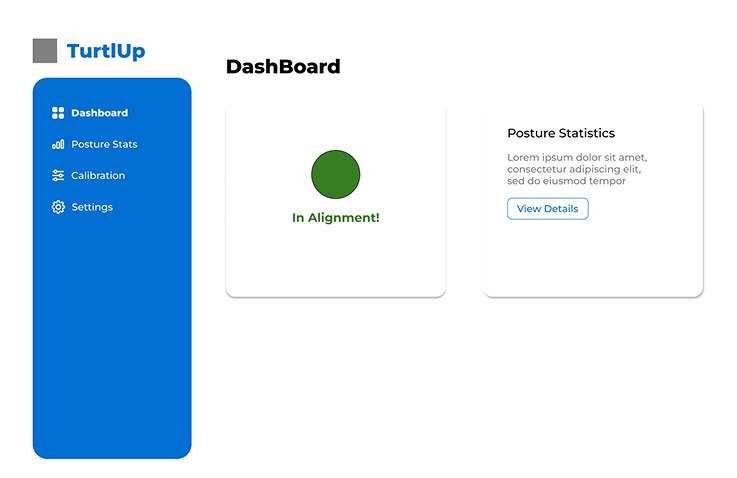
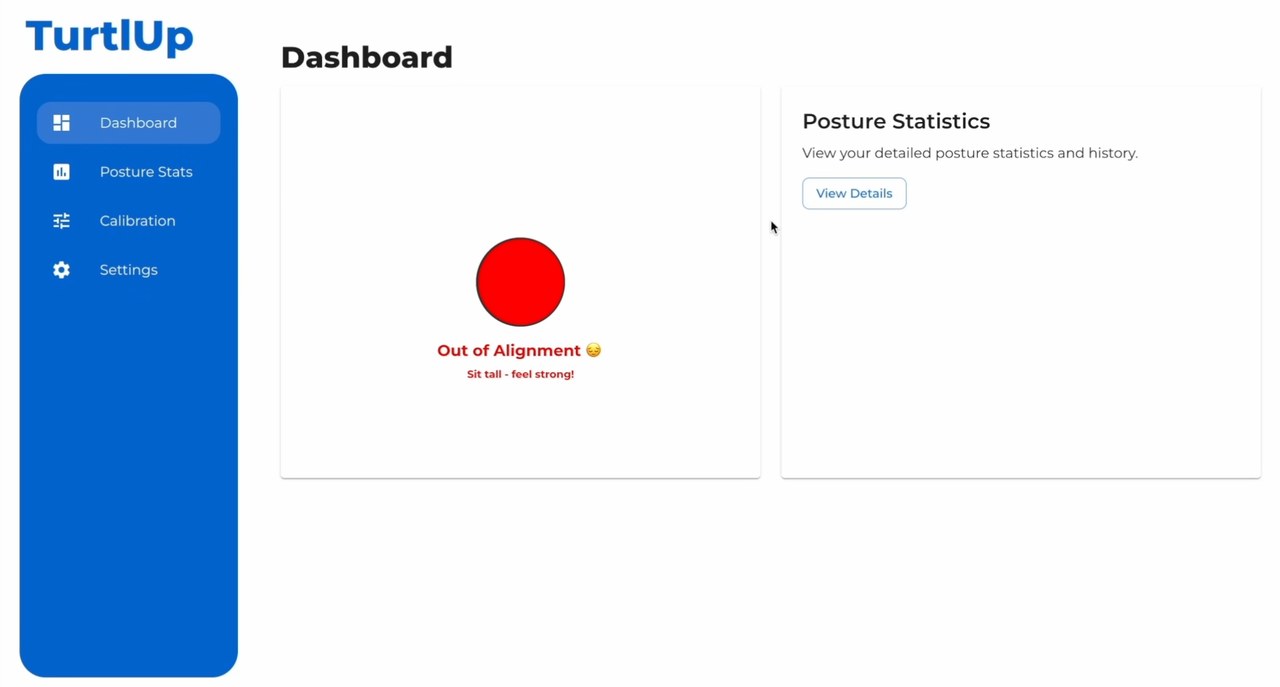
The dashboard leads with a single indicator, paired with a text label and a short encouragement, so it reads in a second and never relies on colour alone.

#overview
TurtlUp is a shirt that vibrates gently when you slouch. As the UX engineer on a four-person team, I designed and built its companion web app: where people set up the shirt, check their posture, and decide how it should nudge them.
The shirt
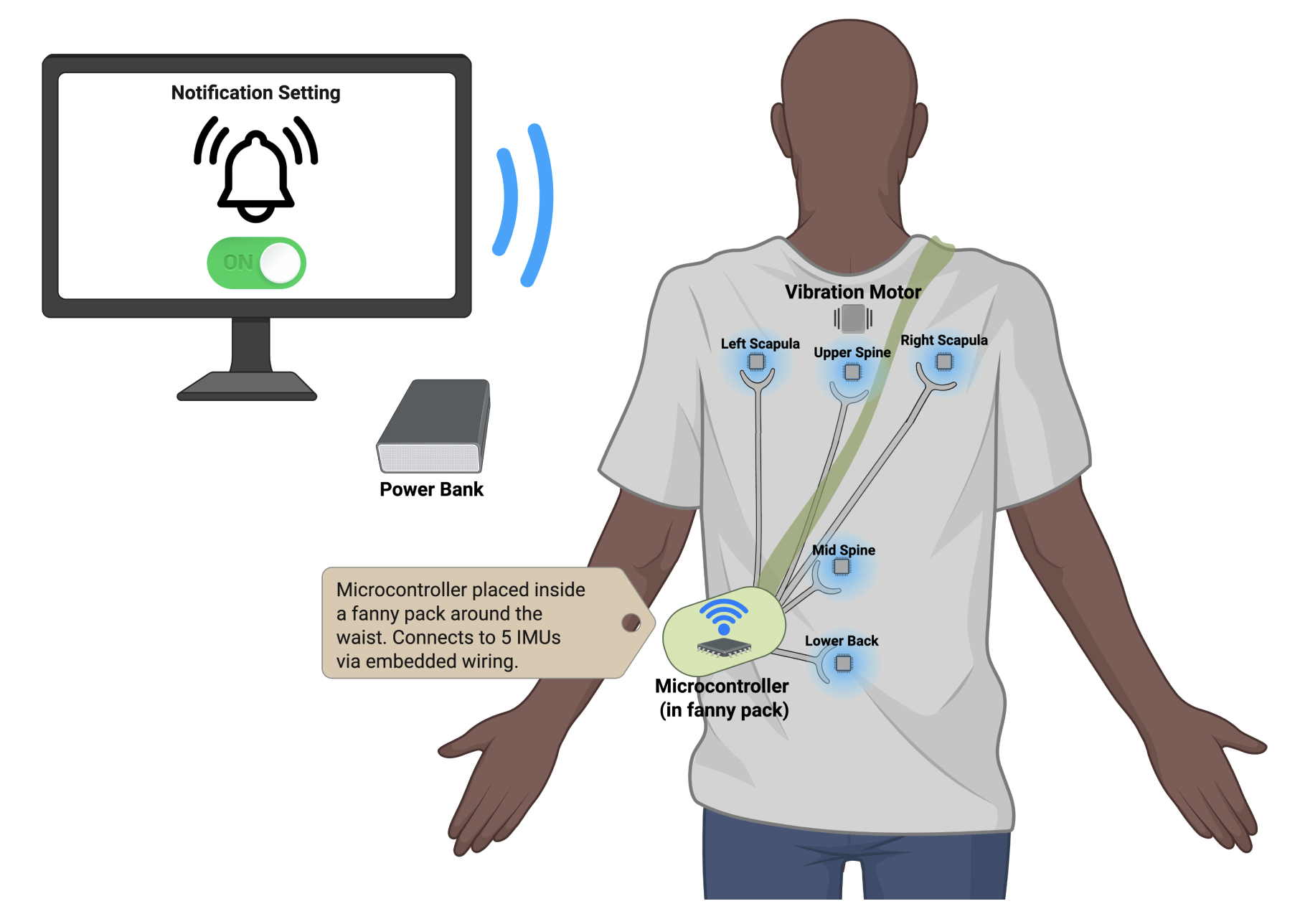
Five IMU sensors along the spine and shoulder blades.
The motor
A gentle vibration when you slouch, with no screen needed.
The web app
Calibration, posture history and alert settings.
#challenge
We interviewed 10 college students. Slouching happens unconsciously during deep focus, and phone notifications are too disruptive to help, which is why the shirt vibrates instead. But a vibration on its own leaves three gaps.
Sara is writing her thesis in the library. An hour in, she’s hunched over her laptop and the shirt buzzes. She sits up, but she can’t tell if her “upright” is right, how her afternoon went, or how to make it buzz less during a deadline.
Everyone’s “upright” is different, so the shirt has to learn yours first.
A buzz fixes the moment, but nothing shows whether habits are improving.
Feedback you can’t tune quickly starts to feel like nagging.
#how-might-we
How might we help users understand, trust and tune the feedback their wearable gives them?
#defining
I turned the three gaps into three jobs for the app, then kept only the features that served them within an 11-week build.
TurtlUp web app
Dashboard
Posture stats
Calibration
Settings
Personalized analytics and a physical-therapy mode were saved for a later subscription tier.
#designing
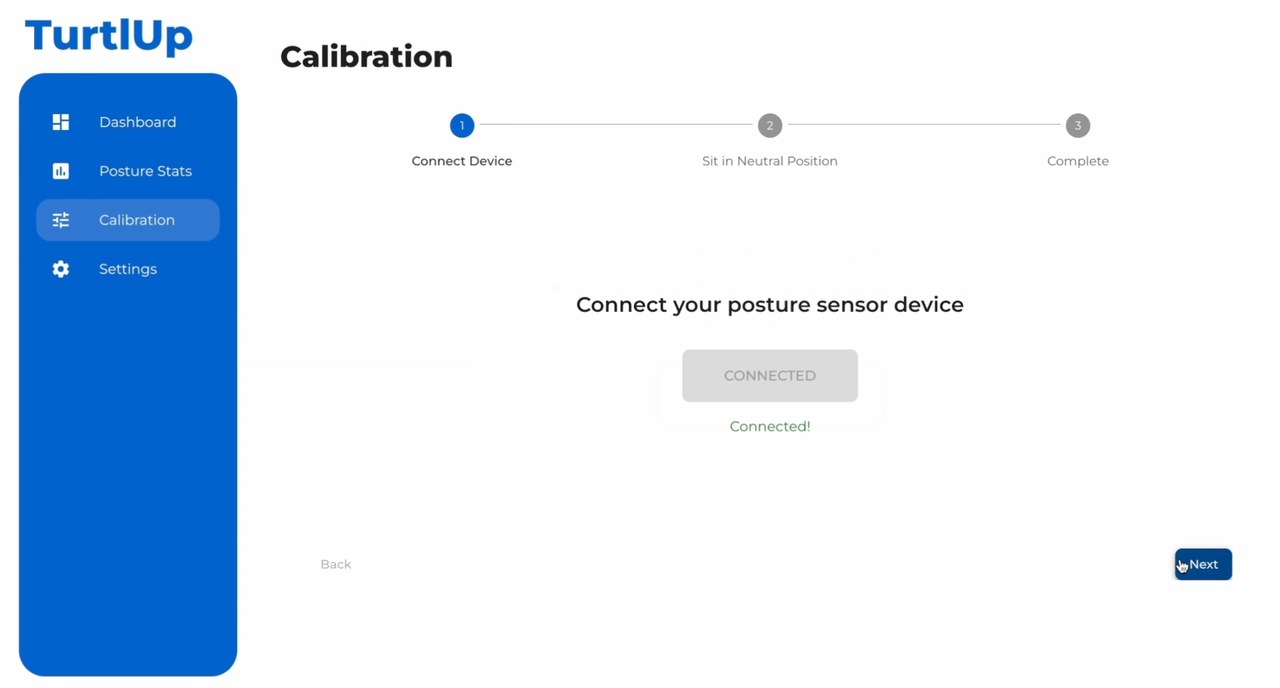
Calibration is the first thing everyone does, and the one place the app works directly with the hardware. I mapped it as a three-step flow and wireframed each state before building it.
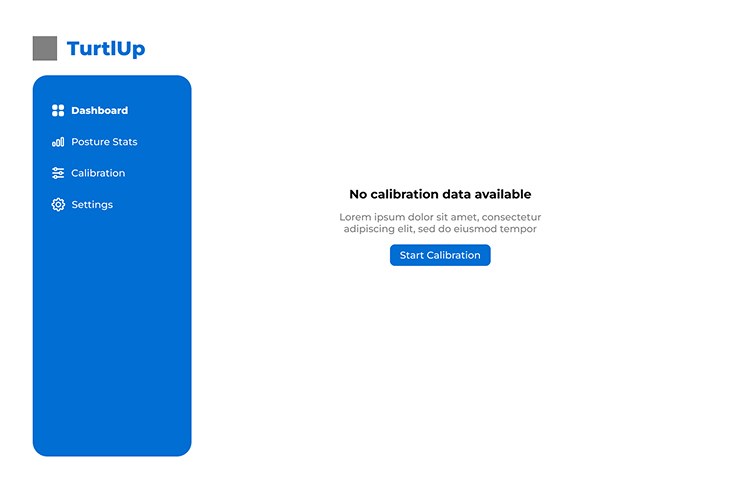
1 Empty dashboard points to calibration
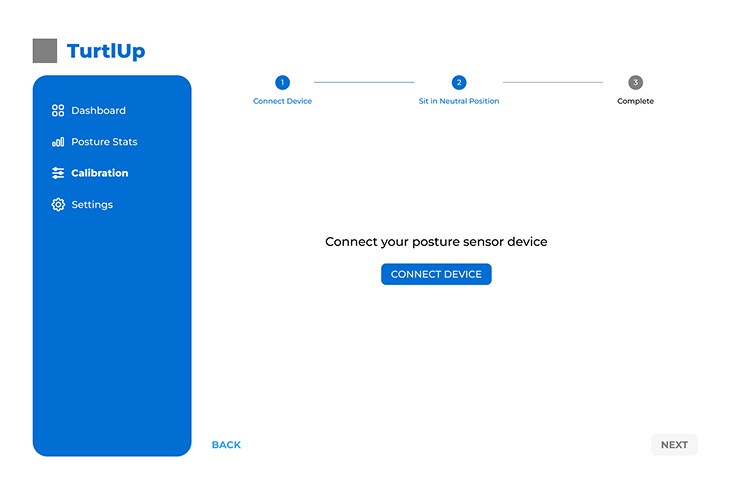
2 Connect the shirt
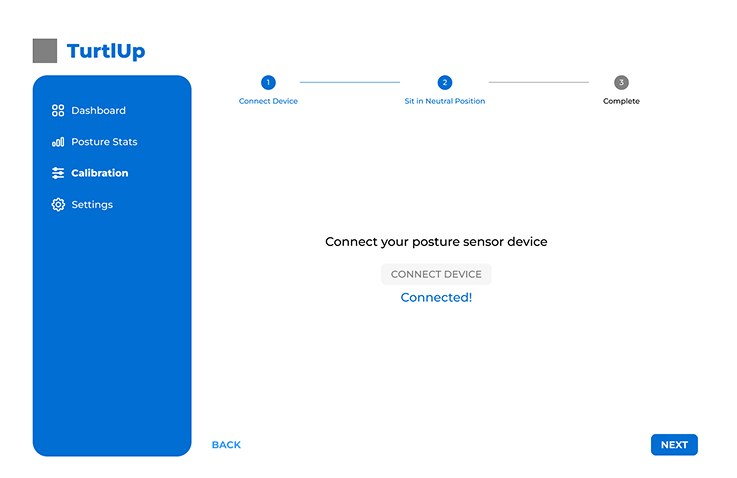
3 Connected, so Next unlocks
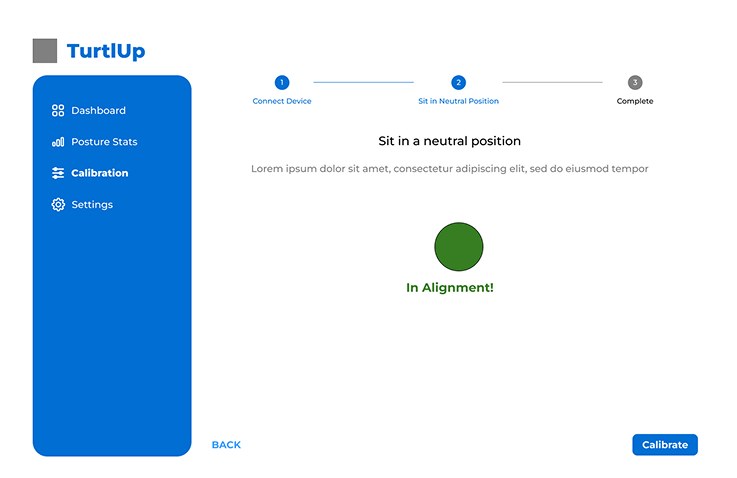
4 Sit in a neutral position
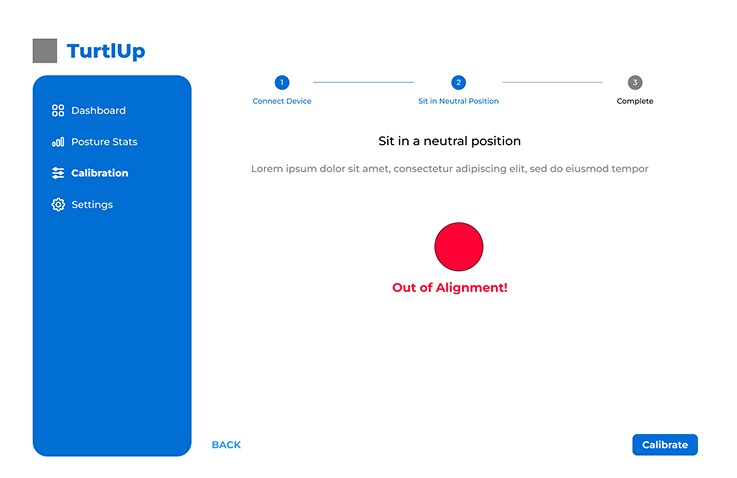
5 Live feedback if you’re out of alignment
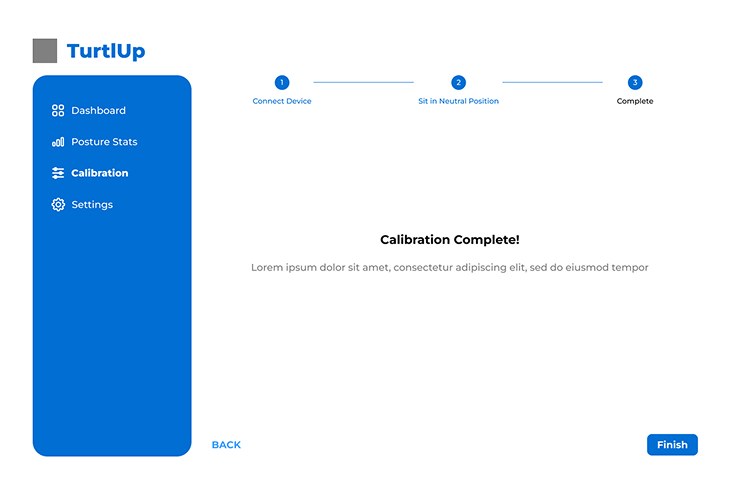
6 Calibration complete
Scroll sideways to follow the flow.
#decisions
The dashboard leads with a single indicator, paired with a text label and a short encouragement, so it reads in a second and never relies on colour alone.
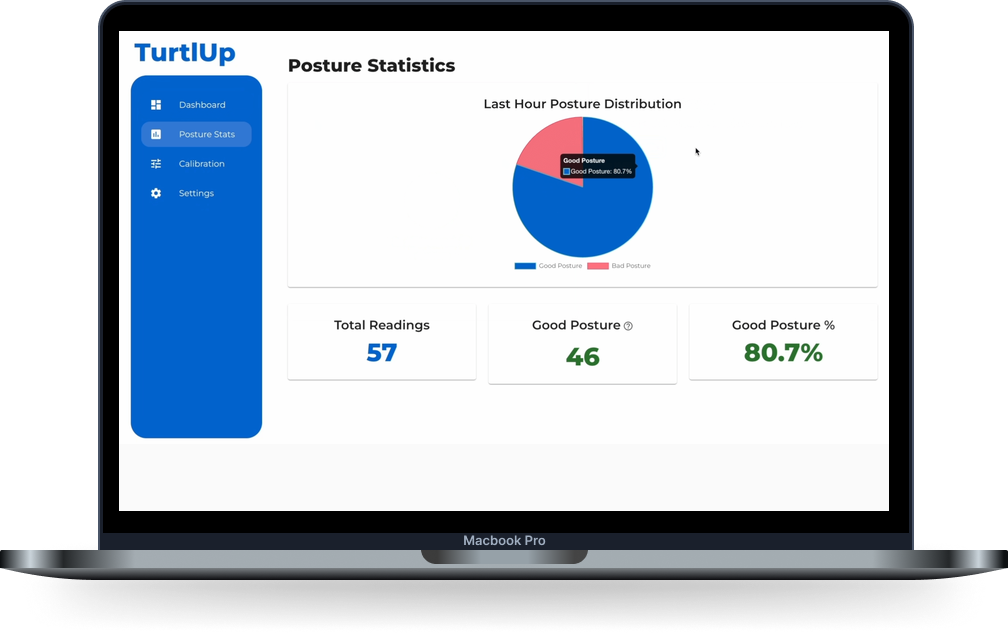
Raw counts didn’t say whether things were getting better. Adding a good-posture percentage turns the stats into a quick read on progress.
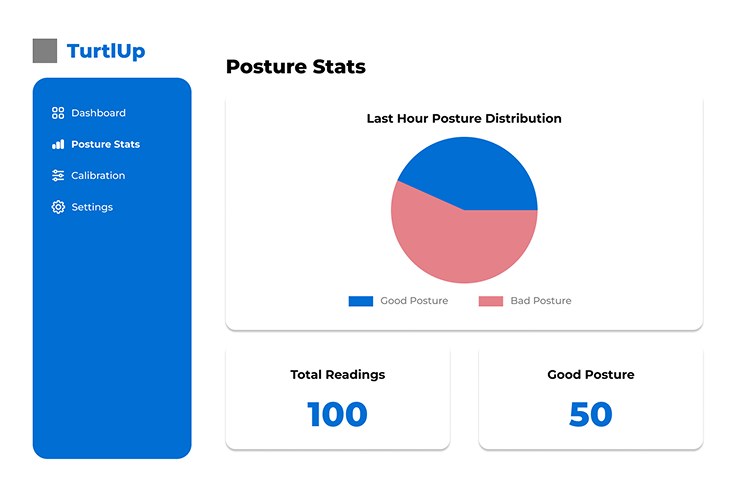
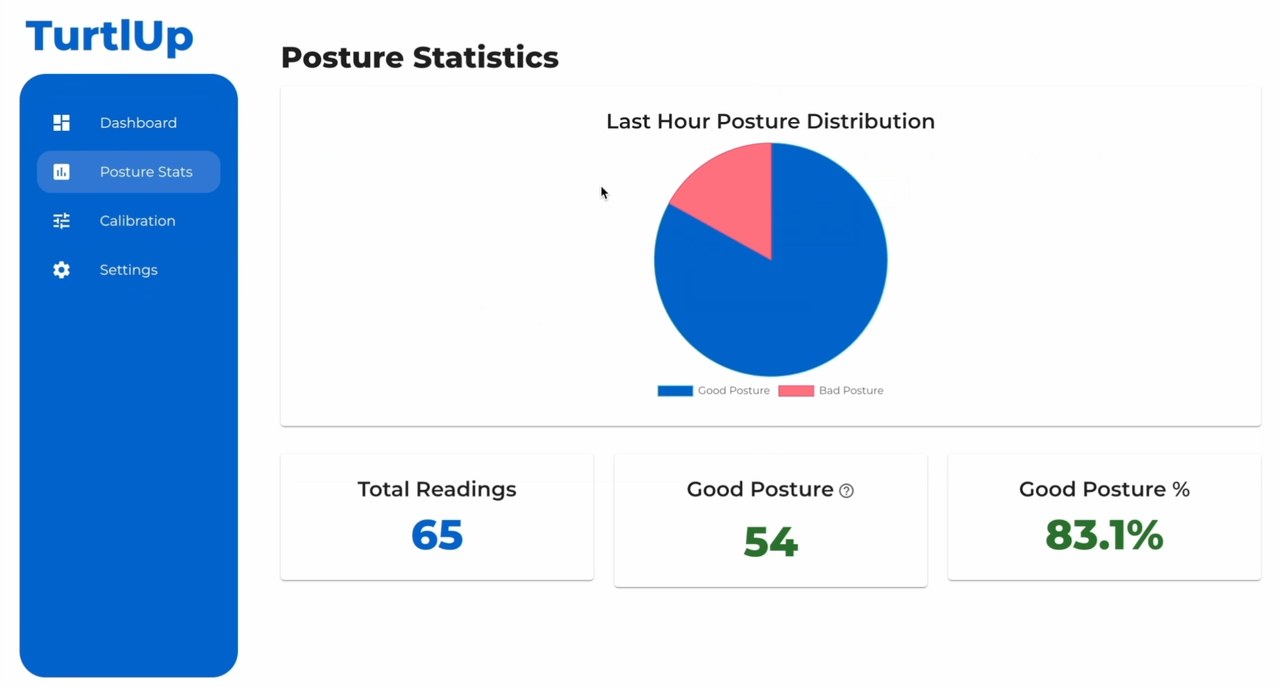
With no data yet, the dashboard points straight to calibration, and each step only unlocks once the one before it is done.
#final
Together with the shirt, the app covers the whole loop, from first setup to everyday check-ins. Watch the full demo ↗
Pair the shirt and save your own upright posture.
Check your status at a glance, and see how the last hour went.
Turn posture alerts and connection notifications on or off.
#reflection
Designing and building the app taught me to shape interactions around what the hardware can reliably report.
The most important feedback happens off-screen, so the app’s job is to explain and tune it, not compete with it.